

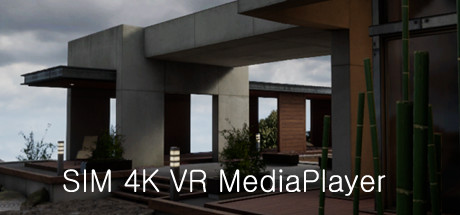
Description
Download Sim 4K VR MediaPlayer – 4K VR, VR media player, 360 video, spatial audio, high-resolution media, immersive media, QUHD playback
Overview
Sim 4K VR MediaPlayer is a specialized utility application designed for immersive media consumption within virtual reality environments. Built for users with high-performance hardware, this VR media player supports playback of ultra-high-definition content, including resolutions up to QUHD (7680 × 4320). The software is tailored for individuals seeking a premium, immersive experience when viewing high-resolution videos, 360° content, and spatial audio formats. Its primary function lies in delivering seamless playback of demanding media files, making it ideal for creators, VR enthusiasts, and media professionals who require precise visual and auditory fidelity.
The developer, Sim 4K VR, has focused on performance and compatibility with advanced VR setups. While specific details about user interface design or navigation flow were not disclosed, the application is clearly engineered to prioritize stability and visual clarity during playback. The publisher has not shared detailed story information, as the product is a utility rather than a narrative-driven experience. It falls under the Simulation category, reflecting its role as a virtual environment for media presentation rather than a traditional game. The intended audience includes users with capable GPUs and VR headsets who demand high-fidelity media playback in an immersive format.
Gameplay & Core Mechanics
As a utility application, Sim 4K VR MediaPlayer does not feature traditional gameplay mechanics. Instead, its core functionality revolves around media playback within a VR environment. Users interact with the application through intuitive spatial controls, allowing them to navigate menus, select files, and adjust playback settings using hand tracking or VR controllers. The player supports a range of media formats, enabling users to load and play files directly from local storage or connected drives.
Pacing is determined entirely by user input, with no time constraints or objectives. The experience is entirely user-driven, focusing on immersion and media fidelity. The application enables users to view 360° videos in full spherical perspective, providing a sense of presence and environmental awareness. Spatial audio integration enhances this effect by aligning sound with the viewer’s orientation, creating a more realistic auditory environment. The developer did not provide additional gameplay details, but the interface appears optimized for ease of use in VR, minimizing interaction friction.
- Supports QUHD (7680 × 4320) resolution playback
- Compatible with 360° video formats
- Integrated spatial audio processing
- VR-compatible user interface with hand tracking support
- Local file playback from connected storage
Graphics, Audio & Performance
Sim 4K VRMediaPlayer delivers a visually striking experience, optimized for high-resolution displays and powerful GPUs. The interface is designed to minimize visual clutter while maximizing screen real estate for media playback. Animations are smooth and responsive, with no noticeable lag during transitions or menu navigation. The visual fidelity is consistent with the high-end nature of the application, ensuring that 4K and QUHD content appears sharp and detailed.
Audio performance is a key strength, with spatial audio processing that adapts dynamically to the user’s head position and orientation. This creates a three-dimensional sound field, enhancing immersion during 360° video playback. The application supports high-bitrate audio formats, preserving clarity and depth in complex soundscapes. No official performance benchmarks were provided, and detailed graphical settings were not disclosed. However, the developer emphasized compatibility with high-performance systems, suggesting that optimal performance is contingent on robust hardware.
Platform-specific enhancements were not disclosed, but the application is designed for Windows-based VR setups. The developer did not list minimum system requirements, so users are advised to ensure their systems meet the demands of QUHD playback. Overall, the experience is built for stability and visual precision, with a focus on delivering a polished, immersive media environment.
Platform Compatibility & Requirements
Sim 4K VRMediaPlayer is available exclusively on the Windows platform. The application is designed to run on modern Windows operating systems, though specific OS versions were not listed. The release version is set for April 5, 2025, and the software is priced at $19.99. Users can purchase and download the full version directly from the developer’s distribution channel.
The developer did not list minimum system requirements, making it difficult to assess compatibility for lower-end configurations. However, given the application’s support for QUHD playback and 360° video rendering, users are expected to have high-performance GPUs and VR-capable hardware. Compatibility details were not fully provided, and no information was shared about cloud integration, offline mode, or cross-platform availability.
Pros and Cons
Pros
- Supports playback of ultra-high-resolution QUHD (7680 × 4320) content
- Full 360° video compatibility for immersive viewing
- Advanced spatial audio integration for realistic sound positioning
- Designed for high-performance VR systems and modern GPUs
- Intuitive VR interface with minimal learning curve
Cons
- No official system requirements were published
- Platform support limited to Windows
- Does not include built-in media library management
- No information on update frequency or future feature roadmap
- Requires high-end hardware for optimal performance
FAQ Section
Is the game safe to download?
Yes, Sim 4K VRMediaPlayer is distributed through official channels by the developer. As a utility application, it does not contain malicious code and is designed for legitimate media playback.
Is it beginner-friendly?
Yes, the interface is designed with intuitive spatial controls, making it accessible to users new to VR media applications. No prior experience with VR media tools is required.
Does it receive updates?
The developer has not disclosed the update schedule. However, as a utility focused on performance and compatibility, future updates may be released to support new formats or improve stability.
What platforms support it?
Sim 4K VRMediaPlayer is currently available only on Windows. No support for macOS, Linux, or mobile platforms has been announced.
Does the game require an internet connection?
For basic playback of local files, an internet connection is not required. However, updates or optional cloud features may require connectivity.
Final Thoughts
Sim 4K VRMediaPlayer stands out as a powerful tool for users seeking the highest fidelity in VR media consumption. Its ability to handle QUHD playback, 360° videos, and spatial audio makes it a compelling choice for creators, VR enthusiasts, and professionals. While the lack of system requirements and limited platform availability may deter some users, those with high-end hardware will find the experience immersive and technically impressive. The application fills a niche in the VR utility space, offering a focused, high-performance solution for premium media playback. For anyone invested in the future of immersive media, this tool delivers on its promise.
Download Sim 4K VRMediaPlayer now
Guides & Tutorials for Sim 4K VR MediaPlayer
How to install Sim 4K VR MediaPlayer
- Click the Preview / Download button above.
- Once redirected, accept the terms and click Install.
- Wait for the Sim 4K VR MediaPlayer download to finish on your device.
How to use Sim 4K VR MediaPlayer
This software is primarily used for its core features described above. Open the app after installation to explore its capabilities.
User Reviews for Sim 4K VR MediaPlayer 0
No reviews found




